JustFill MCP Server
Let your AI agent fill PDF forms.
JustFill speaks Model Context Protocol. Claude, ChatGPT, n8n — any MCP client can detect form fields on any PDF or scan, verify them visually, fill the document and save a template so the next fill is instant.
Fill PDF forms in ChatGPT
Install JustFill PDF Forms from the ChatGPT plugin directory, connect your JustFill account, and ask ChatGPT to open your form. Review the fields and a filled preview before generating the PDF. Save the reviewed layout as a template to reuse it next time.
Open JustFill in ChatGPTStart with this prompt and your own PDF, or try our sample project intake form:
Open this PDF form, list its fields and show a preview before I fill anything.A recurring workflow you can try
One blank PDF, two project intake forms
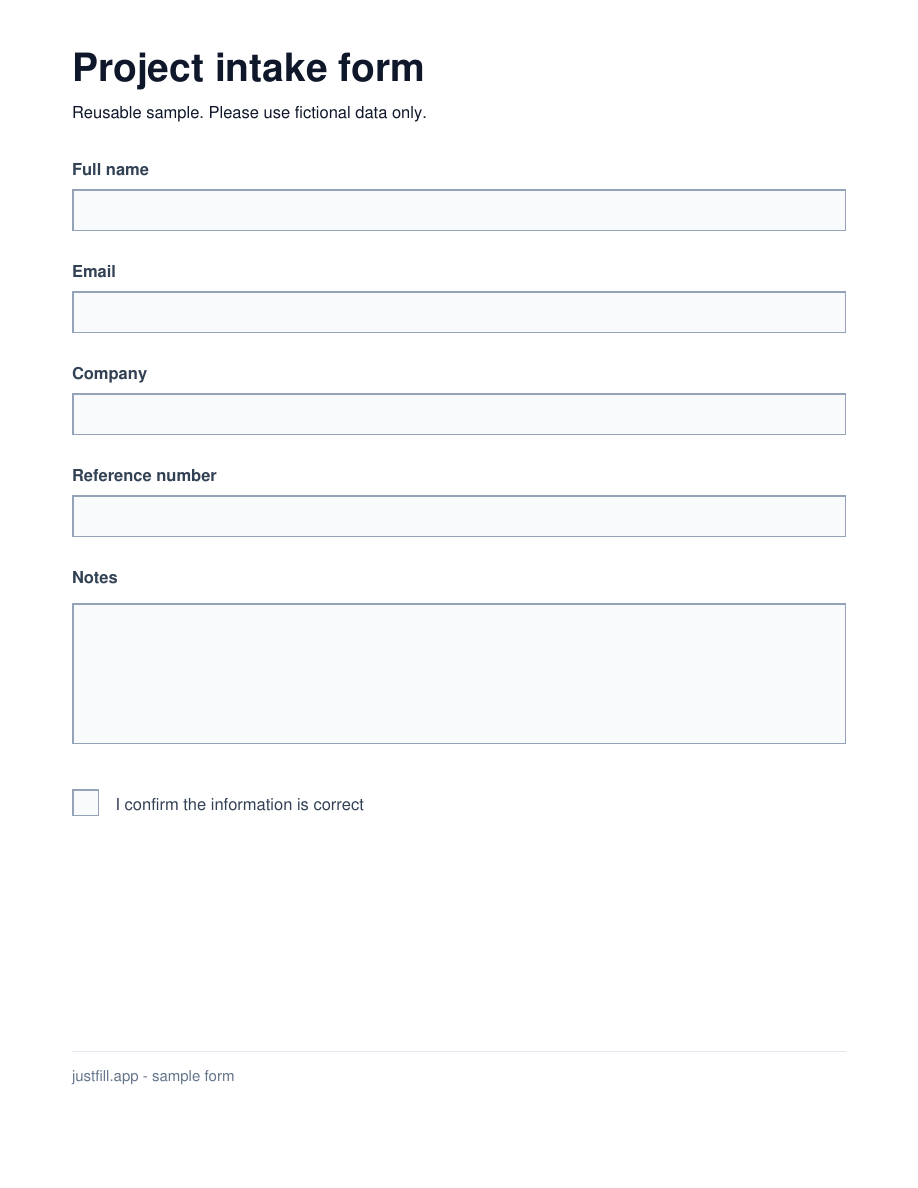
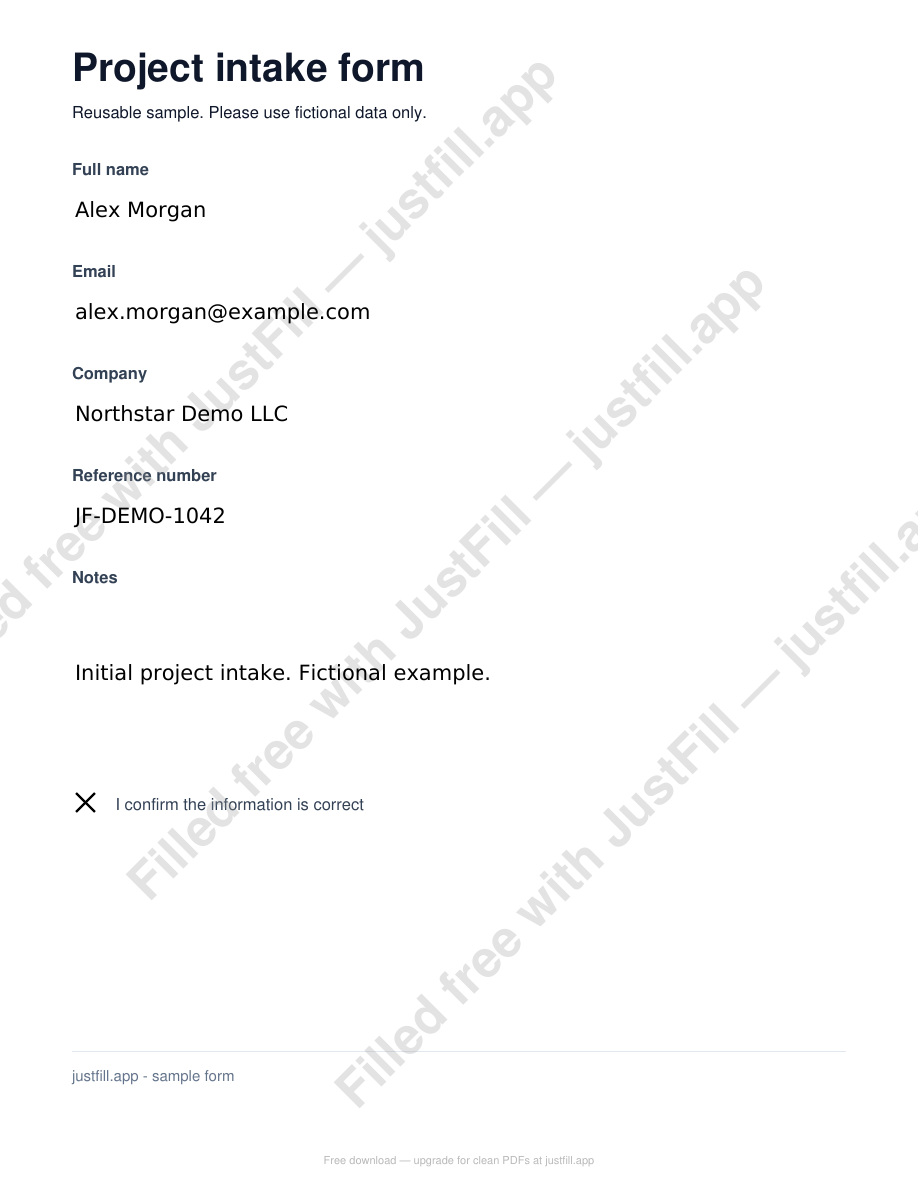
This one-page form has six editable fields. Fill it for Alex, save the reviewed layout, then reuse the same blank form for Taylor. These downloadable results were generated with JustFill on fictional data. They retain editable fields and include the free-plan watermark.
1. Open the blank form and review its fields
Use JustFill to open https://justfill.app/examples/chatgpt/project-intake.pdf. List the fields and show a page preview. Do not fill anything yet.2. Preview the first project, then generate its PDF
Fill the project intake form with these fictional values:
Full name: Alex Morgan
Email: alex.morgan@example.com
Company: Northstar Demo LLC
Reference number: JF-DEMO-1042
Notes: Initial project intake. Fictional example.
Confirmed: yes
Show the filled preview. Wait for my approval before generating an editable PDF.
3. Save the reviewed layout for the next project
Save the reviewed field layout as a template named Project intake. Open the original blank PDF again: https://justfill.app/examples/chatgpt/project-intake.pdf
Use the saved template with these fictional values:
Full name: Taylor Reed
Email: taylor.reed@example.com
Company: Demo Works
Reference number: JF-DEMO-1043
Notes: Next project using the same reviewed layout. Fictional example.
Confirmed: yes
Show the filled preview. Wait for my approval before generating an editable PDF.
Keep the original blank PDF for the next project. Connect the same JustFill account each time so your saved template is available. Previews are free; generated files follow your JustFill plan.
No install: add it as a connector
For other MCP clients, JustFill runs a hosted server with OAuth. In Claude (Settings → Connectors → Add custom connector), point at:
https://justfill.app/api/mcpYour agent gets a browser consent screen on first use — no keys to copy, revocable anytime in Account → API Keys. Works with Gemini CLI too: gemini extensions install https://github.com/mrmaciej1/justfill-mcp
n8n: add an MCP Client Tool node to your AI Agent, set the endpoint to https://justfill.app/api/mcp and authenticate with a Bearer header using an API key from Account → API Keys. Prefer a no-LLM pipeline? Import the ready-made workflow — PDF + data in, filled PDF out, deterministic via saved templates.
Need the complete node-by-node setup? Use the n8n PDF automation guide.
Local install (CLI agents)
1. Add the server to your MCP client config (Claude Desktop, Claude Code, or any other). The package is on PyPI, so
uvxfetches it automatically:{ "mcpServers": { "justfill": { "command": "uvx", "args": ["justfill-mcp"] } } }2. Authorize once — opens your browser, one click while logged in to JustFill:
uvx justfill-mcp loginPrefer explicit configuration? Create a key under Account → API Keys and set
JUSTFILL_API_KEYinstead. No passwords in config files either way.3. Ask your agent — “Fill ~/Downloads/intake-form.pdf with the client data from this email and show me a preview before saving.”
Built for agents that need to be right
Works on scans, not just AcroForms
ML detection finds fields on flat PDFs and phone photos of paper forms. Embedded form fields and saved templates are used first — they are deterministic.
Visual review loop
The agent sees rendered previews with labeled boxes and honest confidence scores, fixes mistakes with field edits, and previews the filled result before a single credit is spent.
Templates make repeat fills exact
Review a form once, save it as a template — every future fill of that document skips detection entirely and lands on verified geometry.
International text done right
Output supports Latin (with full diacritics), Cyrillic, Greek, Arabic and Hebrew with proper shaping and direction, plus Chinese, Japanese, Korean and Vietnamese.
What the agent can do
open_pdfOpen a PDF or a phone-photo scan (JPG/PNG). Fields come from a saved template, embedded AcroForm, or ML detection with calibrated confidence.
render_previewSee the detected boxes drawn on the page — blue is deterministic, green/orange/red is ML confidence.
render_filled_previewPreview your values in place before filling. Costs nothing.
add / update / remove_fieldFix detection mistakes — including batch versions and prune_fields for bulk cleanup.
fill_pdfFill and save the document. Native AcroForm fill when available, precise text overlay otherwise. Warns about values that will not fit.
save_templatePersist the reviewed layout — every future fill of that form is instant and exact.
Filling PDF forms with ChatGPT: questions
No agent required
Have many rows in Excel or CSV?
Use the browser PDF mail merge instead: upload the existing form, match spreadsheet columns once, review one filled PDF per row, and export the approved records in a ZIP.
Open source client, same account
The MCP client is MIT-licensed. It talks to the same JustFill account and credits as the web app — detection is free, fills follow your plan.