Fill In PDF Online Free
Fill in PDF online without Adobe — flat PDF, scanned form, or interactive AcroForm, it doesn't matter. Fill up PDF online with JustFill and get started for free.
By uploading, you confirm you have the legal right to use this document.
Free to fill, edit & preview any PDF. Your first clean download is free — then a small one-off pack unlocks 5 more clean exports.
Why Most Free PDF Tools Fail
There are two types of PDF forms — and most tools only handle one. That's why you can't fill in PDF online free with typical editors when your document is scanned or flat.
Flat PDFs
~80% of all PDF forms
Flat PDFs look like forms but have no interactive fields. The lines, labels, and boxes are just part of the page image. You can't click into a field and type.
Most free tools can't fill these. They require embedded form metadata that flat PDFs don't have.
Examples: scanned government forms, PDFs exported from Word/Canva, hand-drawn form templates, insurance claim forms.
AcroForms (Interactive)
~20% of PDF forms
AcroForms have embedded interactive fields — you can click into them and type directly. Created with Adobe Acrobat or similar professional tools.
Free PDF readers can fill these (Adobe Reader, Preview), but with limited editing and no template saving.
Examples: IRS tax forms, some bank applications, government e-forms with "Fill & Sign" instructions.
JustFill Handles Both — For Free
Instead of relying on embedded form metadata, JustFill analyzes what the page looks like. Fill up PDF online regardless of type — scanned, flat, or interactive.
Scanned Forms
Paper forms scanned to PDF. No interactive fields exist. JustFill detects the visual layout and lets you draw or auto-detect fields on the scan.
Flat Digital PDFs
PDFs created in Word, Canva, or design tools. They look like forms but have no fillable fields. JustFill treats them the same as any other document.
AcroForms
Interactive PDFs with embedded fields. JustFill can fill these too — and adds template saving, AI mapping, and voice dictation that native readers don't offer.
Best When You Need to Fill In an Existing PDF
This guide is for the common "I already have a PDF and need to type into it" problem. If you need to create reusable fields from scratch, see the free PDF filler instead.
Use this page when...
- You have a PDF form open on your device and need to type into it now.
- The PDF looks fillable, but clicking blank lines does nothing.
- You need a no-watermark download without installing Adobe Acrobat.
- You are comparing flat PDFs, scanned forms, and AcroForms.
Related next steps
Need to build a reusable field layout? Use the free PDF filler.
Need to turn a static document into a structured form? Read how to make a PDF fillable.
Need a direct online tool page? Open Fill PDF Online.
How to Fill In PDF Online (No AcroForm Fields)
Upload the flat PDF
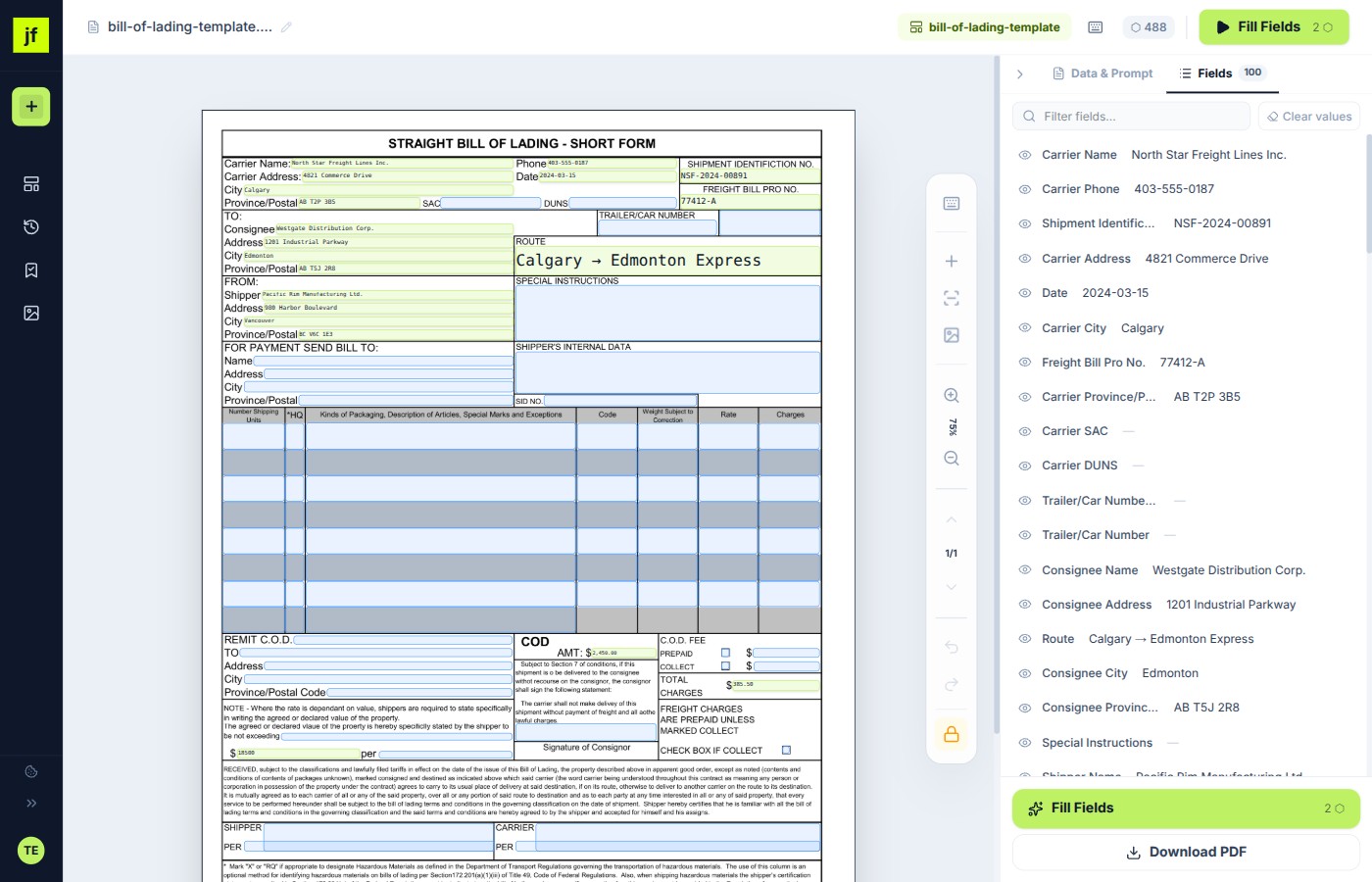
JustFill renders the page as an image in your browser. It doesn't matter that there are no embedded fields — JustFill works with the visual layout.
Draw fields where you need text
Use the Draw tool to create rectangular text fields on top of the form. Place them over blank lines, boxes, or any area where you want to add text. This step is completely free.
Type your data and download
Click each field and type your value. When you're done, download the filled PDF. Your text is embedded directly into the document — it looks like it was typed natively.
Pro tip: If you fill the same flat PDF regularly (e.g., a monthly report template), save the field layout as a template. Next time, JustFill pre-positions all fields automatically — you just paste new data and download.
Frequently Asked Questions
Related Guides
Adobe Fill & Sign Alternative
Adobe retired the Fill & Sign mobile app — see how JustFill replaces it free, in any browser.
PDF Form Filler Free Online
Upload any PDF and draw fields for free. Your first clean download has no watermark.
How to Fill PDF Form Online Free
Step-by-step guide to filling any PDF form in your browser — no software required.
How to Make a PDF Fillable
Turn any PDF into a fillable form — from Word, Excel, scanned documents, or flat PDFs.
For business teams: turn recurring PDFs into reusable workflows
Excel → Existing PDF
Turn each spreadsheet row into one reviewed PDF and export the approved records as a ZIP.
Vendor Packet Automation
Automate vendor onboarding, supplier setup, and customer account PDFs.
Logistics Packet Automation
BOL, CMR, customs and freight packet workflows for forwarders and 3PLs.
Any PDF. Any format. Free.
Don't waste time figuring out if your PDF has AcroForm fields. JustFill works with everything.
No credit card. First clean download free, then a small one-off pack for 5 more.